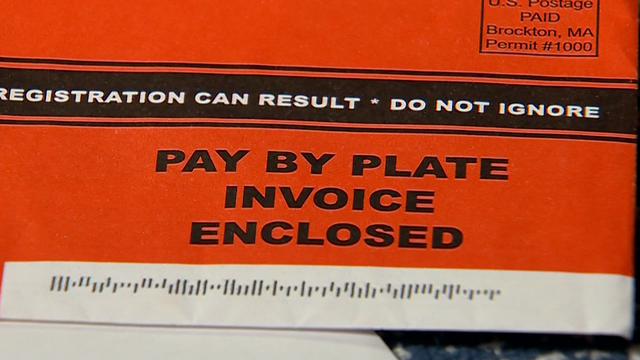
If you’ve received a Pay By Plate MA invoice, it means your vehicle used a Massachusetts toll road without an E‑ZPass transponder. Instead of stopping at a toll booth, Massachusetts uses an all-electronic tolling system that captures your license plate and sends the bill by mail.This guide explains how Pay By Plate works in Massachusetts, how to pay your invoice, and how to avoid late fees.What Is Pay By Plate MA?Pay By Plate MA is the Massachusetts electronic tolling system for drivers who do not have an E‑ZPass. Cameras capture your license plate when you pass through toll points, and a bill is mailed to the vehicle’s registered owner.This system is used on:Massachusetts Turnpike (I‑90)Tobin BridgeSumner, Callahan, and Ted Williams tunnelsOther state toll roadsWhy Did I Receive a Pay By Plate MA Invoice?You may receive an invoice if:You do not have an E‑ZPass transponder.Your E‑ZPass was not detected.Your transponder was mounted incorrectly.Your account had insufficient funds.The invoice lists toll charges and payment instructions.How to Pay Pay By Plate MA InvoiceOnline PaymentThe fastest way to pay is online through the official Massachusetts toll payment website.Steps:Visit the official Pay By Plate MA payment portal.Enter your invoice number or license plate number.Review toll charges.Choose a payment method (credit card, debit card, or bank transfer).Submit payment and save confirmation.Online payments are processed immediately.Pay by MailYou can mail a check or money order using the payment slip included with your invoice.Pay by PhoneSome toll agencies provide automated phone payment options listed on the invoice.What Happens If You Don’t Pay?Failure to pay your Pay By Plate MA invoice may result in:Late feesAdditional penaltiesRegistration holdsReferral to collectionsIt is important to pay before the due date listed on the invoice.How to Check Pay By Plate MA Invoice StatusIf you are unsure whether you have an unpaid invoice:Visit the official Massachusetts toll website.Enter your license plate number.Review outstanding balances.Regular checks help prevent unexpected late fees.Difference Between Pay By Plate and E‑ZPassPay By PlateHigher toll ratesMailed invoiceNo transponder requiredE‑ZPassLower toll ratesAutomatic billingPrepaid accountTransponder requiredFrequent drivers often benefit from using E‑ZPass.How to Avoid Future Pay By Plate InvoicesTo avoid future invoices:Open an E‑ZPass MA account.Ensure your transponder is properly mounted.Keep account funds updated.Verify your vehicle registration details are current.E‑ZPass generally offers discounted toll rates.Common Pay By Plate MA QuestionsHow long does it take to receive an invoice?Typically within 7–14 days after travel.Can I dispute a toll charge?Yes, the invoice includes instructions for filing a dispute.What if I sold the vehicle?Provide documentation proving the transfer of ownership.Are rental vehicles included?Yes, rental agencies may pass toll charges to you with added service fees.Frequently Asked Questions1. How do I pay my Pay By Plate MA invoice?You can pay online, by mail, or by phone using the information on your invoice.2. What if I lost my invoice?You can look up charges using your license plate number on the official website.3. Are Pay By Plate tolls more expensive than E‑ZPass?Yes, Pay By Plate toll rates are typically higher.4. Can unpaid tolls affect my registration?Yes, unpaid tolls may lead to penalties or registration holds.5. How can I avoid future invoices?Opening an E‑ZPass MA account helps avoid mailed invoices and higher toll rates.ConclusionA Pay By Plate MA invoice is issued when your vehicle travels through Massachusetts toll roads without a registered E‑ZPass transponder. Paying your invoice promptly helps avoid late fees and additional penalties. The fastest way to pay is online through the official Massachusetts toll portal. If you frequently travel on toll roads, enrolling in E‑ZPass can reduce costs and simplify toll payments. Always use official state websites to manage and pay your toll charges securely.Feature Image Prompt:Driver reviewing toll invoice on laptop with Massachusetts highway in background, digital payment screen visible, realistic setting, high resolution.