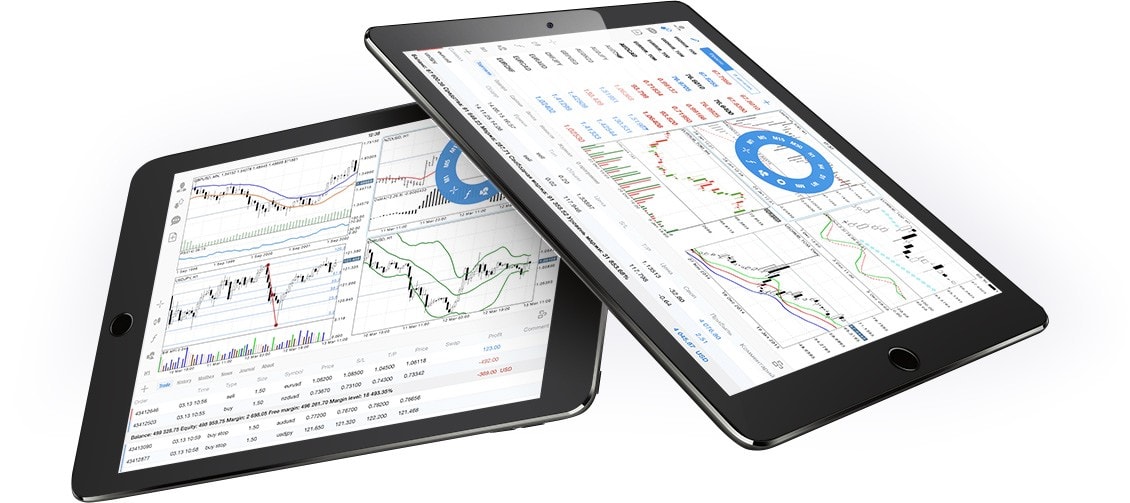
Mobile trading has transformed how investors monitor financial markets, allowing them to stay connected from almost anywhere. MetaTrader 4 iPhone/iPad iOS is one of the most popular mobile trading solutions for users who want access to financial markets through Apple devices. The iOS version of MetaTrader 4 offers charting tools, market quotes, technical indicators, and account management features that help traders monitor positions while away from their desktop computers. Understanding the platform’s capabilities can help users make better use of its mobile trading tools.What Is MetaTrader 4?MetaTrader 4 (MT4) is a widely used electronic trading platform developed for trading financial markets through participating brokers.Depending on the broker, users may access markets such as:Foreign exchange (Forex)Contracts for Difference (CFDs)CommoditiesIndicesAvailable instruments depend on the broker’s offerings and applicable regulations.MetaTrader 4 for iPhone and iPadThe iOS version of MetaTrader 4 is designed for Apple mobile devices and provides many of the core functions available on the desktop platform.Users can generally:View live market pricesAnalyze chartsPlace and manage ordersMonitor account activityAccess trading historyFeatures may vary depending on the broker and app updates.Getting StartedThe general setup process includes:Download the MetaTrader 4 app from Apple’s App Store.Launch the application.Log in using your broker-provided account credentials.Select your trading server.Access your account dashboard.Always download the application from official sources.Key FeaturesReal-Time Market QuotesUsers can monitor live price movements for available trading instruments.Interactive ChartsCharts allow traders to analyze historical and current price action using multiple timeframes.Technical IndicatorsMetaTrader 4 includes numerous built-in technical indicators commonly used for market analysis.Examples include:Moving AveragesRSIMACDBollinger BandsStochastic OscillatorThe availability of indicators may vary between app versions.Trading OrdersThe app generally supports order management features provided by participating brokers.Order types depend on broker capabilities and account settings.Chart AnalysisCharting is one of MetaTrader 4’s most widely used features.Users may:Zoom chartsChange timeframesApply indicatorsDraw trend linesReview historical price movementsTechnical analysis is only one method of evaluating financial markets and should not be viewed as a guarantee of future performance.Account ManagementThe application allows users to monitor important account information.Common features include:Open positionsTrade historyAccount balanceAvailable marginProfit and loss summariesInformation displayed depends on your broker.Benefits of Mobile TradingUsing MetaTrader 4 on iPhone or iPad offers several advantages.FlexibilityUsers can monitor markets while away from their desktop computers.Fast Market AccessMarket quotes and account information are available through mobile internet connections.Portfolio MonitoringTraders can review open positions and account performance throughout the trading day.NotificationsDepending on broker support and app settings, users may receive account-related notifications.Security ConsiderationsProtecting your trading account is important.Recommended practices include:Use strong passwords.Enable two-factor authentication if your broker offers it.Keep your iOS device updated.Download apps only from the official App Store.Avoid using unsecured public Wi-Fi for sensitive financial activity.Security features vary by broker.Best Practices for Mobile TradingTo improve your trading experience:Maintain a stable internet connection.Review charts carefully before placing trades.Monitor risk management settings.Keep your app updated.Understand your broker’s execution policies.Trading decisions should align with your personal financial objectives and risk tolerance.Understanding Trading RisksFinancial markets involve risk.Market prices can move rapidly due to:Economic newsInterest rate decisionsMarket sentimentGlobal eventsLosses are possible, and traders should understand the products they trade before risking capital.The Future of Mobile TradingMobile trading technology continues evolving through advances in software and connectivity.Emerging developments include:AI-assisted market analysisImproved charting toolsFaster trade executionEnhanced securityCloud synchronizationBetter user interfacesThese innovations continue improving the mobile trading experience.FAQsIs MetaTrader 4 available for iPhone and iPad?Yes. MetaTrader 4 is available for compatible iPhone and iPad devices through Apple’s App Store.Can I trade directly from the iOS app?Depending on your broker and account type, the app generally supports order placement and account management features.Does MetaTrader 4 include technical indicators?Yes. The mobile application includes many commonly used technical indicators for chart analysis.Is MetaTrader 4 free to download?The application is generally available as a free download. However, trading requires an account with a participating broker, and trading costs depend on the broker’s pricing.Is mobile trading secure?Security depends on your broker, device, and personal cybersecurity practices. Using strong passwords, official apps, and updated software helps improve account protection.ConclusionMetaTrader 4 iPhone/iPad iOS provides traders with convenient access to financial markets through a mobile interface that includes charting, technical analysis, and account management tools. While the platform allows users to monitor markets and manage trades from virtually anywhere, successful trading still requires careful research, sound risk management, and an understanding of market volatility. By combining mobile flexibility with disciplined trading practices, users can make effective use of MetaTrader 4’s powerful iOS features.